Pixelcut vs Photoroom

These two do the same job, so features will not separate them. What does is how much you get for the money, and how confidently you can stop paying, and those two point in opposite directions.

PixelcutFrom Free
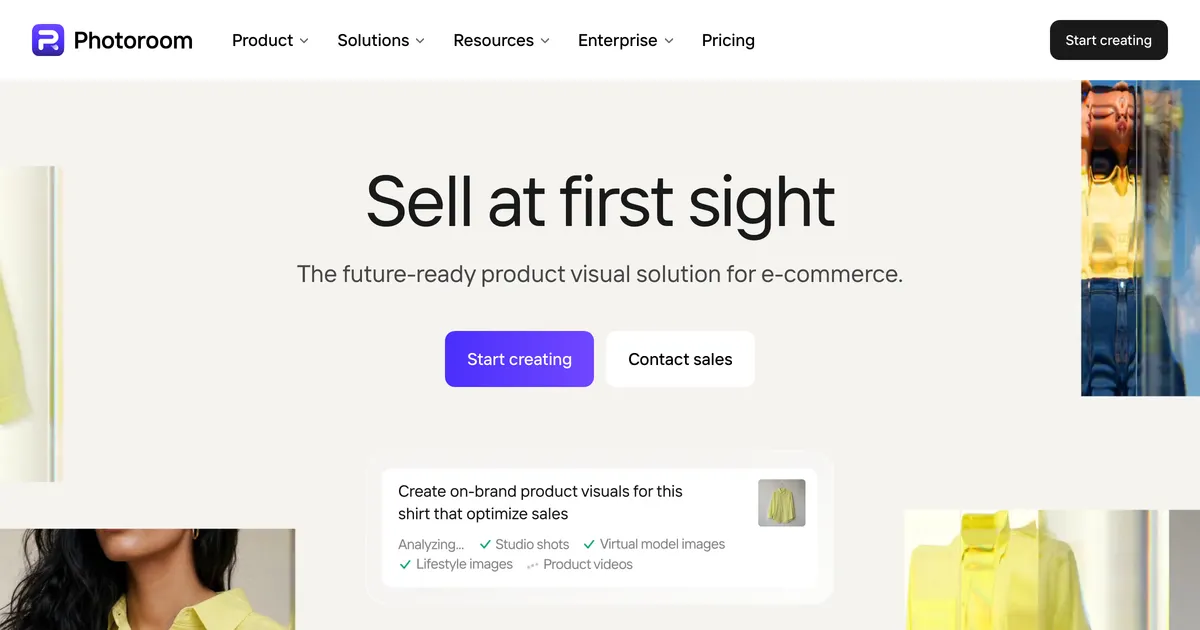
Photoroom homepage hero promoting product image editing at catalogue scale
PhotoroomFrom 167/mo

The short version

Pixelcut

Pick Pixelcut if volume matters and the budget is tight. A thousand exports for ten dollars is the best throughput ratio on this site. Treat the subscription carefully: its Trustpilot score is 1.7 and the complaints are unexpected charges and difficulty cancelling.

Photoroom

Pick Photoroom if you would rather pay more for the more established catalogue tool. It is not free of the same complaints, at 2.0, but it attracts fewer of them and it is the better known quantity for making a large catalogue look uniform.

Custom Mockup Generator

Both start from a photograph. If your product exists only as a design until it is ordered, there is nothing here to clean up.

How Pixelcut and Photoroom actually differ

Pixelcut is the cheaper offer by a wide margin. Ten dollars a month carries a thousand batch exports and a commercial licence, and the free tier exports without a watermark, which is unusual enough to be worth stating on its own.

Photoroom costs more per image and is the more established catalogue tool, built around making a large pile of inconsistent product photographs look like one shop. On the actual work, the two are close enough that most sellers would not pick one from output alone.

Where they separate is trust, and neither comes out well. Pixelcut's Trustpilot score is 1.7 and Photoroom's is 2.0, and in both cases the one-star reviews are overwhelmingly about billing rather than images: charges nobody expected, subscriptions that would not cancel, support that did not reply. Pixelcut's is the lower score and the more specific complaint. That belongs in the comparison, because a cheap subscription you cannot leave is not cheap.

The scoreboard

2of 6
Pixelcut
  • Throughput per pound
  • Free tier usefulness
2of 6
Photoroom
  • Trust and billing
  • Catalogue consistency
2of 6
Neither
  • Output quality
  • Use for print on demand

Where each one wins

What you are comparingWinnerWhy
Throughput per poundPixelcut1,000 batch exports a month on the $10 tier, with commercial licensing included. Nothing else here is close on that ratio.
Free tier usefulnessPixelcutExports without a watermark, so the free tier produces something you can keep rather than a preview.
Trust and billingPhotoroomA poor score beats a worse one. Photoroom sits at 2.0 and Pixelcut at 1.7, and the complaints against both are about charges rather than output.
Catalogue consistencyPhotoroomThe more established tool for making many inconsistent photographs look like one shop, which is the job at real SKU counts.
Output qualityTieClose enough that most sellers would not choose between them on results alone, which is why this page is about the terms instead.
Use for print on demandTieNeither applies. Both start from a photograph, and a print on demand product usually does not exist until it is ordered.

What the ladders look like

Pixelcut

  • FreeFree
  • Pro$10/mo
  • Business$30/mo

Yearly billing is offered at a stated 20% saving. The free tier exports without a watermark, which is unusual in this category.

Photoroom

  • Pro$167/mo
  • Max$334/mo
  • Ultra$7159/mo
  • EnterpriseCustom

Captured from an Indian IP and priced in INR. Photoroom geo-localises, so a US reader will see different figures and a different currency.

Custom Mockup Generator

  • FreeFree
  • Paid$7/mo

Our own pricing.

Pick by what you are making

High volume, tight budget

Pixelcut

The throughput per pound is not close. Go in with the renewal date diarised and a way to cancel that you have checked.

A catalogue that must look uniform

Photoroom

The more established option for the specific job of making many photographs resemble one another.

You want to test without paying

Pixelcut

Unwatermarked free exports mean the trial produces something usable, which is rare in this category.

Your product is only a design

Custom Mockup Generator

There is no photograph to clean up. Listing images have to be generated from the artwork instead.

Both, in depth

Pixelcut

Background removal, upscaling and product shots aimed at sellers, with batch export on the paid tiers.

Where it wins
  • Free tier exports without a watermark, so the output is usable rather than a preview.
  • Batch export at 1,000 images a month on the $10 tier, which is generous for the price.
  • Commercial licence is included on the paid tiers rather than sold separately.
Where it stops
  • Works from photographs, so it does nothing for a design that has never been printed.
  • Credit-based generation, so heavier months cost more than the headline price suggests.
  • Trustpilot score of 1.7 as of August 2026, with the recurring complaint being unexpected charges and an inability to cancel rather than the output itself.
Pricing
  • FreeFreeLimited background removal and upscale. Exports without a watermark
  • Pro$10/mo600 credits, unlimited background removal, 1,000 batch exports, commercial licence
  • Business$30/mo3,600 credits a month, 3 seats

Yearly billing is offered at a stated 20% saving. The free tier exports without a watermark, which is unusual in this category.

Choose this if

Sellers with real product photos who mostly need clean cutouts and upscales at volume rather than invented scenes.

Photoroom homepage hero promoting product image editing at catalogue scale

Photoroom

AI product photo editing at catalogue scale: background removal, generated scenes, virtual models and batch processing, metered in credits.

Where it wins
  • Built for catalogue scale, with batch processing and export limits in the thousands rather than the dozens.
  • Background removal, generated backdrops and virtual models in one tool, so a product photo can be finished without a second app.
Where it stops
  • Starts from a photograph, so it cannot produce an image of a product you have not made or shot yet.
  • Metered in credits and exports, which makes a heavy listing month a budgeting question rather than a flat cost.
Pricing
  • Pro₹167/moBilled yearly. Struck-through monthly rate shown as INR 299
  • Max₹334/moBilled yearly. 3,800 AI credits, 3,000 exports
  • Ultra₹7,159/moBilled yearly. 20,000 AI credits, 10,000 exports
  • EnterpriseNot publishedCustom, contact sales

Captured from an Indian IP and priced in INR. Photoroom geo-localises, so a US reader will see different figures and a different currency.

Choose this if

Sellers with a large catalogue of real product photographs who need them cleaned up and staged consistently at volume.

What users say about Pixelcut

All Pixelcut reviews on Trustpilot

What users say about Photoroom

All Photoroom reviews on Trustpilot

Answer these and you have decided

  1. 01

    How many images a month, honestly? The price gap only matters above a few hundred.

  2. 02

    Have you found the cancel button before subscribing? On both of these that is the recurring complaint.

  3. 03

    Are you paying monthly or annually? Annual multiplies the cost of a billing dispute.

  4. 04

    Does the product physically exist? If not, neither tool applies at all.

A third approach

Both of these assume a camera was involved. That assumption quietly excludes most print on demand sellers, whose products do not exist until an order is placed, which means there is no photograph to correct and no catalogue to standardise. Our starting point is the design rather than a photo: describe your listing set once, drop in each new artwork, and get the finished images back with your title, size chart and logo already placed. If you do have real product photography, these two are the right shelf and this page is the right comparison.

Frequently asked questions

Is Pixelcut cheaper than Photoroom?

Considerably, on throughput. Pixelcut's $10 tier carries 1,000 batch exports a month with a commercial licence, which is the best ratio in this comparison.

Why are both scored so poorly?

Because of billing rather than images. Pixelcut sits at 1.7 and Photoroom at 2.0, and in both cases the one-star reviews describe unexpected charges, difficulty cancelling and slow support, not bad output.

Does Pixelcut watermark the free tier?

No, and that is genuinely uncommon. Free exports come out unwatermarked, which makes evaluating it cheap even though background removal and upscaling are limited.

Which is better for a big catalogue?

Photoroom is the more established tool for making many inconsistent photographs resemble one another. Pixelcut will handle the volume for less money; the question is which risk you would rather take.

Can either be used for print on demand?

Not really. Both start from a photograph of a real item, and print on demand products typically exist only as a design until someone orders one. Custom Mockup Generator starts from the design instead.

Other tools people compare

No photograph to clean up?

Describe your listing set once, then drop in each new design and get the whole set back with your title, size chart and logo already in place.

Browse apparel generators